As smart homes become a standard in Hong Kong, Smart Locks offer unparalleled convenience. However, users often worry: "What if the battery dies?" If your fingerprint doesn't register when you're rushing home, do you really need a locksmith?
In reality, premium brands like BOSCH design for these exact scenarios. This guide covers emergency entry hacks and professional maintenance to ensure you're never left stranded.
1. Low Battery Warnings
BOSCH locks alert you multiple times before the power fails (usually at 10-20% remaining):
-
Voice Alerts: "Low battery, please replace battery" prompts at every entry.
-
Visual Indicators: Red flashing lights or battery icons on the panel.
-
App Notifications: Push alerts sent directly to your smartphone (on supported models).
-
Expert Advice: Replace batteries at the first warning—don't delay.
2. 3 Ways to Unlock with No Power
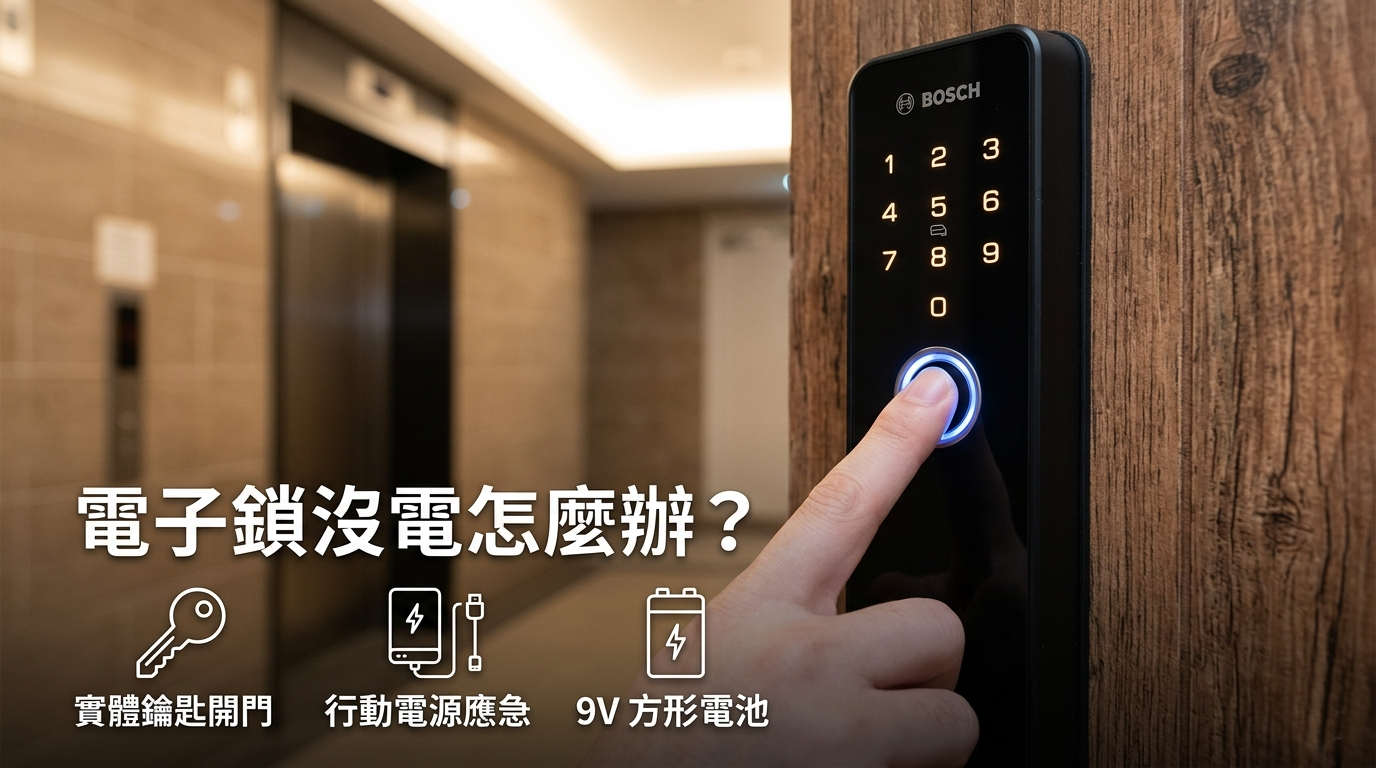
If you miss the warnings and the lock dies, stay calm. Use these three methods:
-
Mechanical Emergency Key (Most Reliable): Never store your emergency key inside the house! All BOSCH locks feature a hidden keyhole (usually at the bottom or behind a panel).
-
How to use: Pop open the cover, insert the mechanical key, and turn manually.
-
Tip: Keep a spare key in your car, office, or with a trusted relative.
-
-
Power Bank Jumpstart: Most smart locks have an external Micro-USB or USB-C port for emergency power.
-
How to use: Connect a power bank to the port at the bottom of the lock. Once the panel lights up, use your fingerprint or PIN as usual.
-
Note: This is temporary; replace the internal batteries immediately after entering.
-
-
9V Battery (For models like EL600F): Some models feature two external metal contact points.
-
How to use: Press a 9V alkaline battery against the contacts to power the system instantly for a one-time unlock.
-
3. BOSCH Maintenance Guide: Longevity Tips
To prevent failures, routine care is essential, especially in Hong Kong's humid climate:
-
Battery Choice: No Rechargeable or Carbon-Zinc Batteries This is a common mistake. Use high-quality Alkaline batteries only.
-
Why: Rechargeable batteries have unstable voltage, and carbon-zinc batteries are too weak. Alkaline provides the steady power needed for sensitive sensors.
-
Frequency: Replace all batteries every 10-12 months to prevent leakage and circuit damage.
-
-
Keep the Panel Clean Dust and oils can lower fingerprint recognition accuracy.
-
Cleaning: Wipe gently with a slightly damp, soft cloth. Never use alcohol or harsh chemicals, which can damage the coating.
-
-
Check Door Alignment Doors can warp due to humidity or temperature changes.
-
Checklist: Does the door close smoothly? Does the bolt align with the strike plate? High friction forces the motor to work harder, draining the battery faster.
-
4. Why Choose BOSCH Smart Locks?
BOSCH stands out with century-old German engineering and industry-leading security:
-
Anti-Tesla Coil: Shielded against high-frequency electromagnetic interference.
-
Scramble Code: Enter random digits before or after your real PIN to deter onlookers.
-
Palm Vein Recognition: High-end models (like the FU8 Plus) identify sub-dermal patterns—ideal for seniors with faint prints or sweaty palms.
5. FAQ
-
Q1: Will the door unlock automatically if the power dies? A: Absolutely not. BOSCH locks stay secured in their current state during power loss.
-
Q2: Do I need to reset my PIN/fingerprints after changing batteries? A: No. Settings are saved in non-volatile memory.
-
Q3: Why is my battery draining so fast? A: Check for mixed/low-quality batteries or door misalignment causing motor strain.
Conclusion With a reliable brand like BOSCH and regular maintenance, smart locks offer pure security and convenience. Visit our website or contact our Professional Team for expert advice.